arcadia
Custom FireFox CSS theme and User.js
Roles
User Interface Designer
CSS Engineer
Project Maintainer
Tools

CSS

GitHub
User.js
Deliverables
Fully Featured Firefox Theme
User.js Custom Config
GitHub Installation Tutorial
Duration
2022-Present
Overview
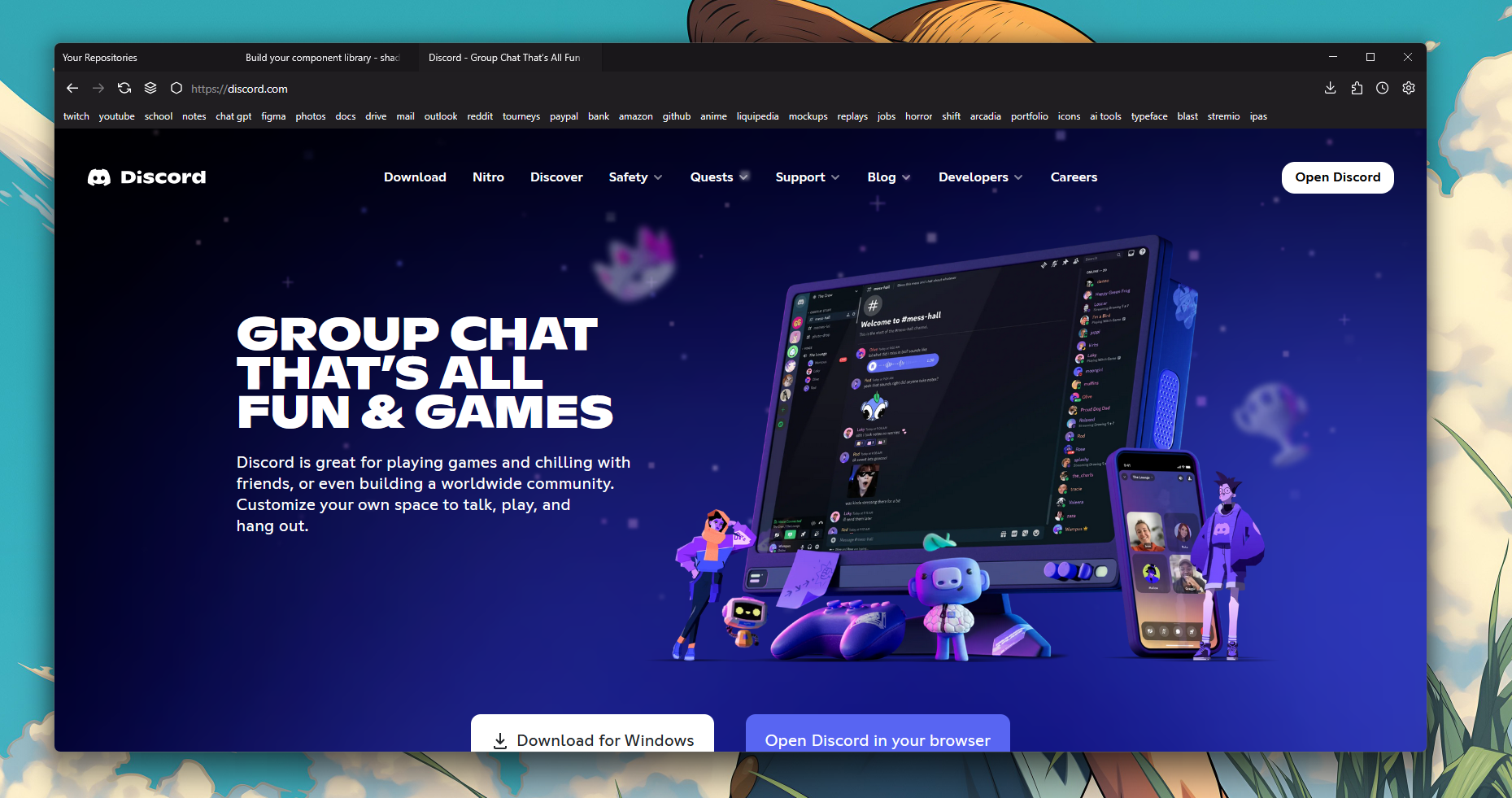
I fell in love with the Firefox web browser because of the
entire UI being written in CSS. I've always liked CSS and wanted
to take on a challenge of redesigning the firefox UI with my
knowledge of CSS.
Project goals
Easy Installation
I wanted to create a project that let's even non-tech savy
users install and enjoy the project. So many technical things
aren't accessible for casual users because it's too
complicated to setup.
Maintainance
After researching other FirefoxCSS themes the community has
made, I realized that they go unmaintained often and usually
break after a Firefox update from Mozilla. My goal was to
update the theme whenever something in the UI breaks so users
of the project have someone to rely on.
Minimal
Above all I wanted a design that I was happy with. I wanted a
minimal browser interface that didn't get in the way and
didn't have any distracting icons.
Process
Starting point
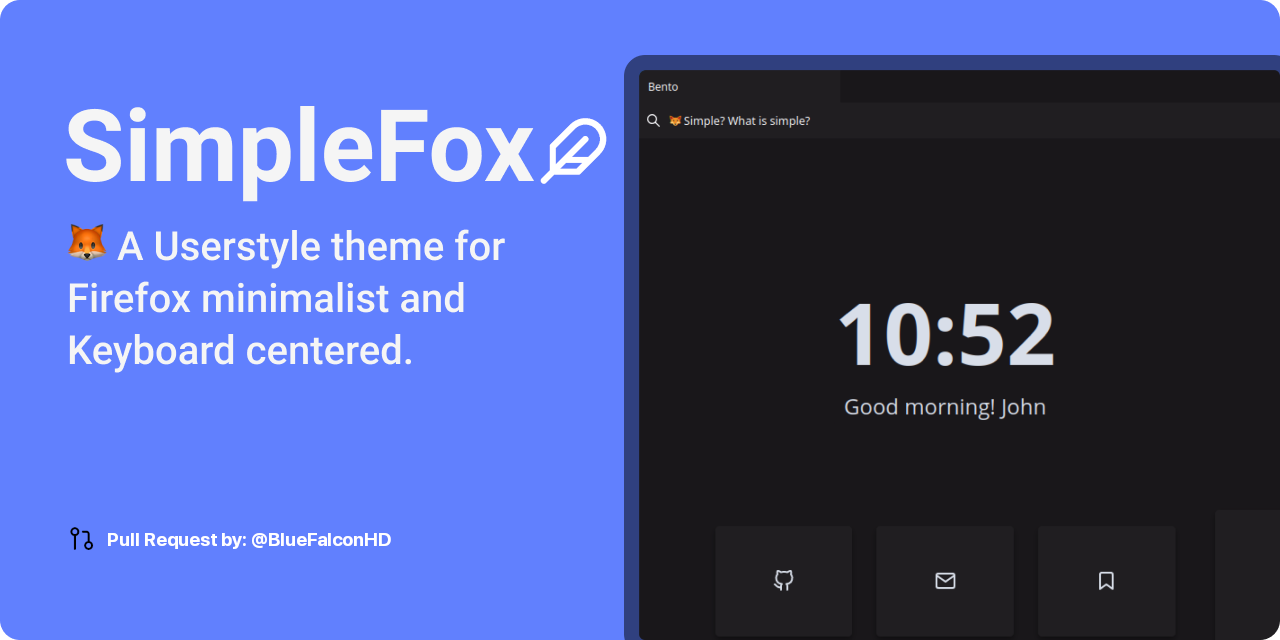
I found an abandoned FirefoxCSS project on GitHub that had a lot
of the elements that I was trying to replicate. It had a lot of
broken parts, but it was still a good starting place. I decided
to fork the project and get started on fixing it up!
Minimum Viable Product
Fixing Broken Elements
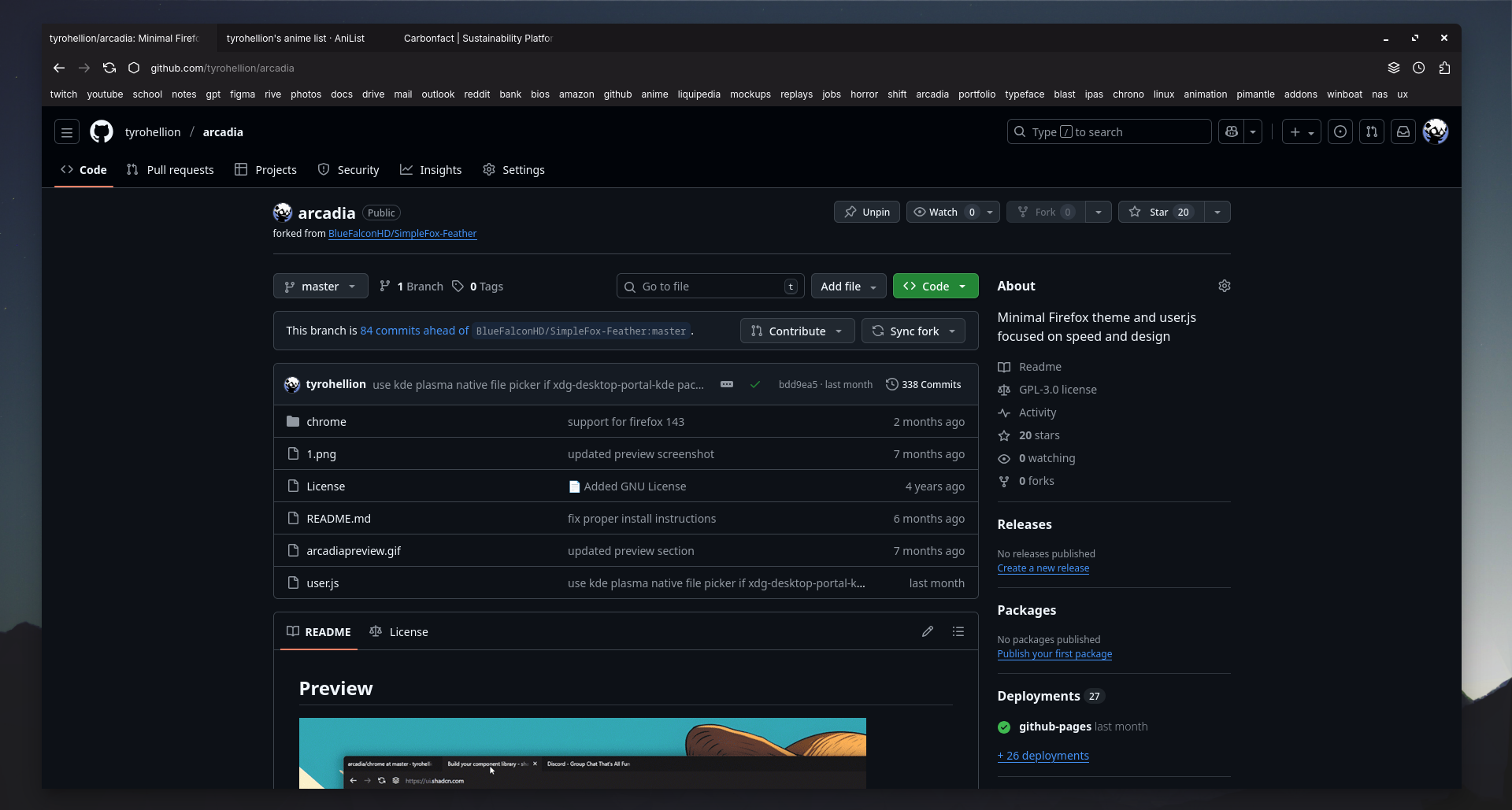
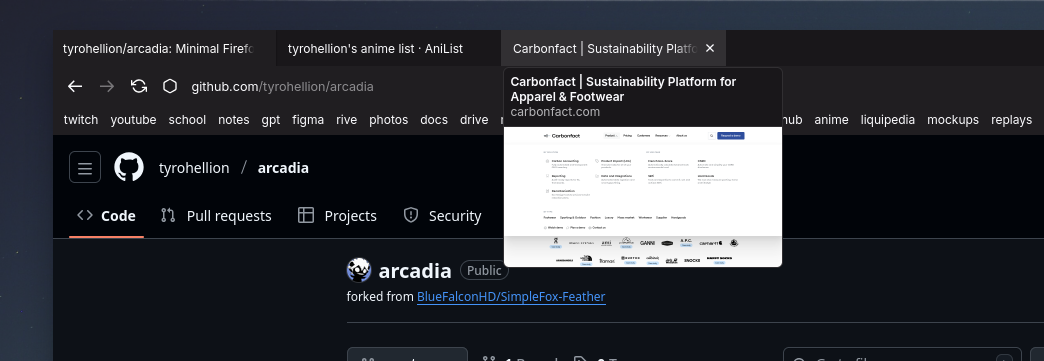
A lot of elements of the UI had been naturally overwritten or
changed by Firefox updates so I took on the task of rewriting
elements or adding new CSS styles.
Adding More Functionality
Although this original project was great, it was a little too
minimal even for my taste. With this theme there was no way of
accessing tracking protection for a certain website or cookie
settings because of the removal of certain buttons. They also
didn't have any back or forward buttons which I wanted back in the
design.
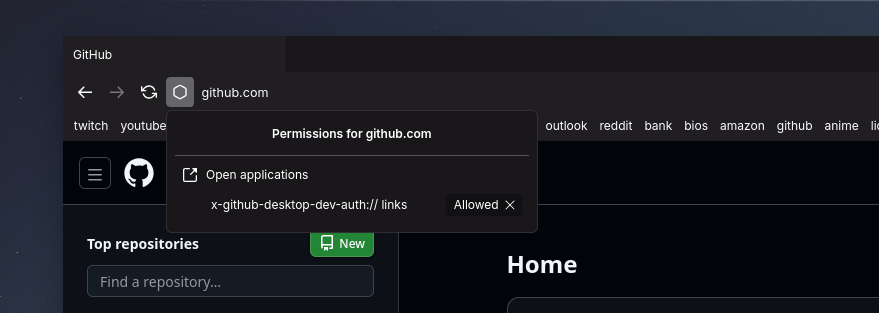
Replacing Icons
Next I replaced and added some new icons for the browser UI. I
tried to use icons that had a really nice look together.

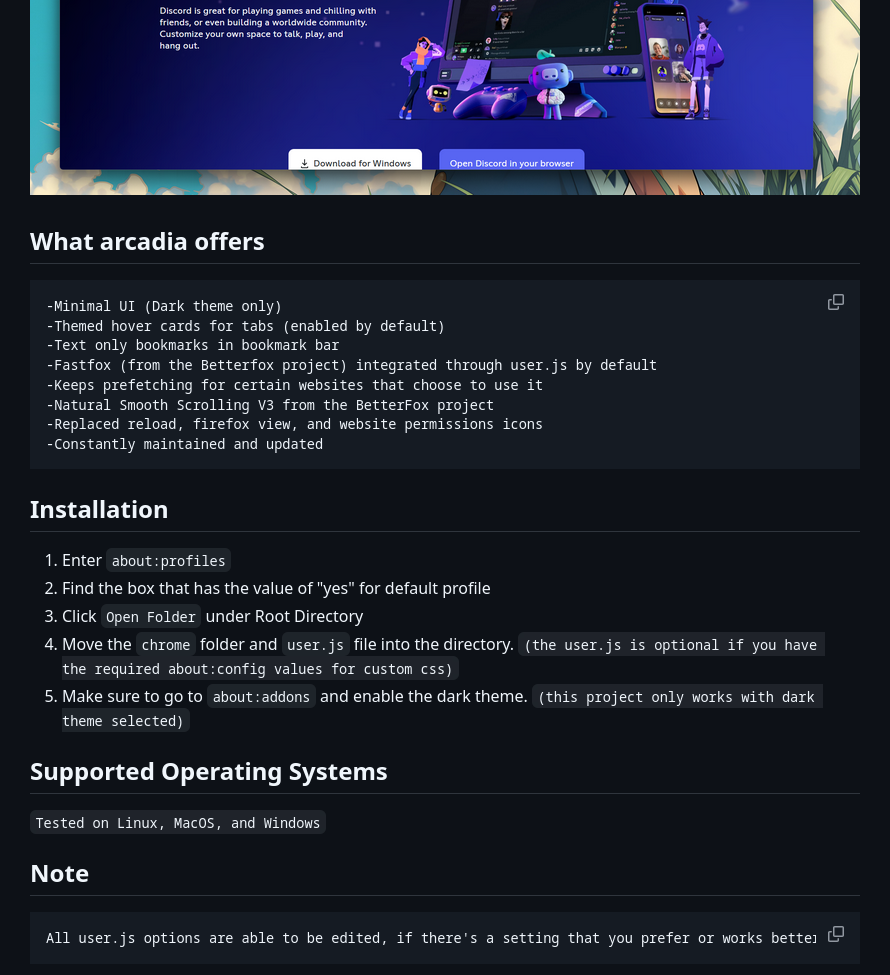
User.js and Installation Tutorial
Firefox has this awesome feature where you can have a User.js
config file that defines certain behaviors the browser should
follow. One of these behaviors is the required manual config
variables that is needed to allow custom themes. I included this
in the User.js file to make it more user-friendly and painless. On
my GitHub repository for this project I have a formatted readme
file with all the installation instructions. Super easy to follow
and setup.
Final Result
I achieved my goal of having a project that is constantly
maintained and minimal in nature. I learned a lot about this
project and what it means to be reliable for other people. This
project is still ongoing and can be used by anyone by going to my
GitHub!
Takeaways
Reliability is extremely important for people. I got good
experience with debugging interfaces along with honing my CSS
skills more and more.